

time-saver - a free screensaver
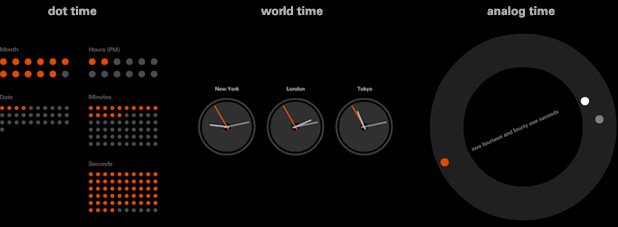
Our custom screensaver displays the correct time in three different modes
(choose which mode you prefer in the screensaver control panel)
- analog time (default) - current time is shown as words
and dots as they tick around a clock-face
- dot time - an intriguing dot display shows both the
time and date
- world time - if left to its own devices, London will
be joined by two other random UK cities.
However if you really want to get global, you can choose your own home town and two other locations and then set their time differences yourself via the simple screensaver control panel.
download the screensaver installer here for:
This screensaver is free to use and may be freely distributed with no restrictions.
